
A 2026 late review of the Analogue Pocket
When the Analogue Pocket was launched in December 2021, the reviews were all very good. But I decided it was not for me. Indeed, why spend so much money just to play Game Boy games, when I already own plenty of real Game Boys?
Five years later, I finally ordered one. I am weak… But now that I have it in my hands, I love this device. So here is my very late 2026 review of the Analogue Pocket.
What is the Analogue Pocket?
Analogue is a brand that has a good reputation among very dedicated retro-gamers. It engineers and sells faithful recreations of old consoles that can directly play original cartridges. As there is no need to use ROMs of shady origin, this is considered perfectly legal. Playing any cartridge directly from the slot requires their devices to achieve extremely good accuracy. Their products are FPGA-based, and for a long time Analogue bragged “No emulation”, although I think that is marketing bullshit, as we will see later on.
The Pocket is their handheld console, and it will play all Game Boy, Game Boy Color, and Game Boy Advance games right out of the box. Using special adapters to physically fit the cartridges, it can also play Atari Lynx, Sega Game Gear, Neo Geo Pocket and PC Engine (a.k.a. TurboGrafx-16) games. One handheld to rule them all!
One D-pad, four face buttons and two shoulder buttons are enough for all these machines. The device looks sturdy, and it feels surprisingly heavy the first time you hold it.
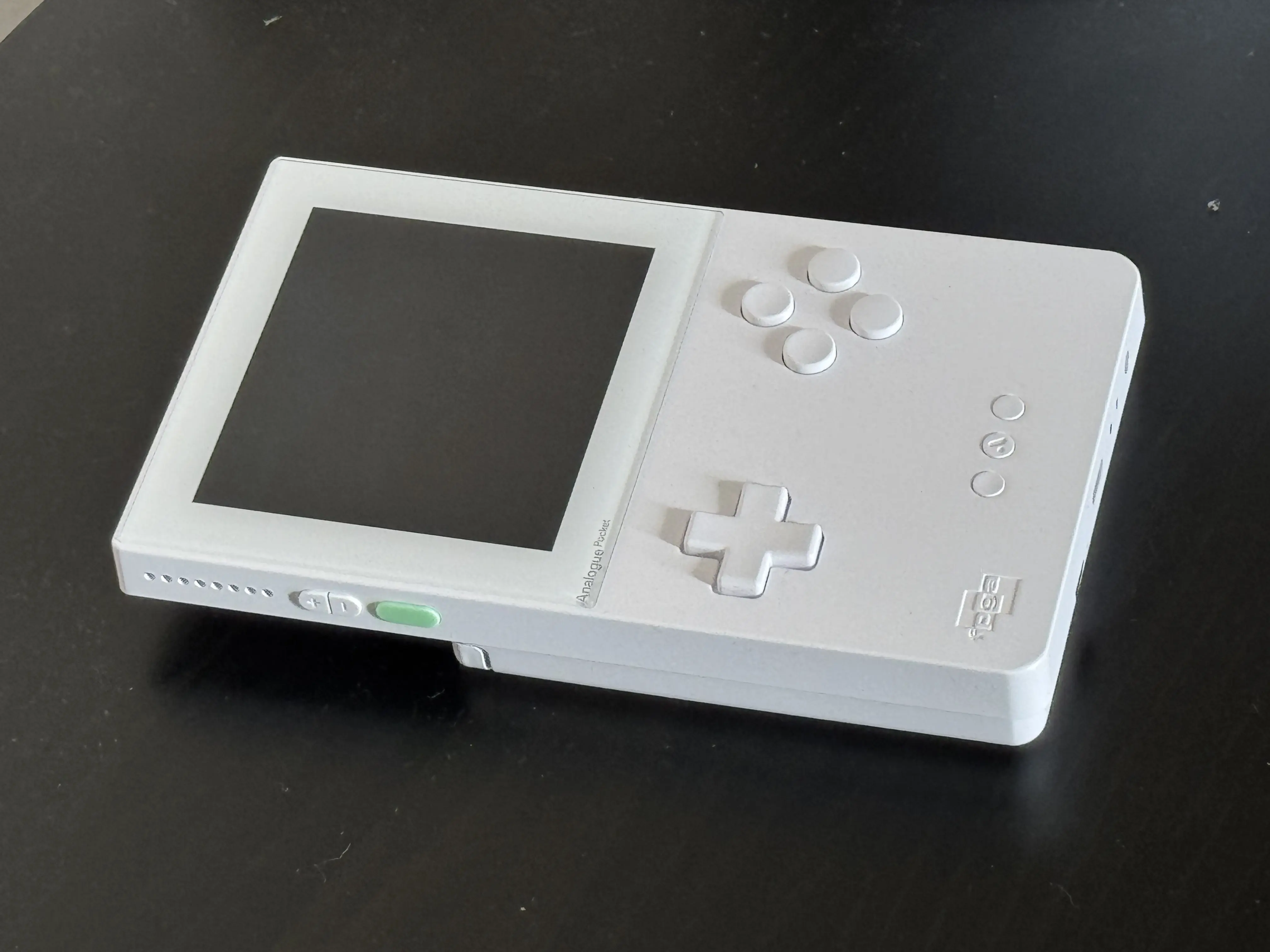
The star of the show is its screen. It has an unusual resolution of 1600x1440 pixels that is exactly ten times, in each direction, that of the original Game Boy’s 160x144 screen. With 100 pixels for each original pixel, the Pocket can apply sophisticated filters to imitate the screen of a real Game Boy at a sub-pixel level. The result is impressive. But more on that later.
Finally, a microSD slot can be used to load other emulators, developed by the community, if they conform to Analogue’s “OpenFPGA” platform.
An optional dock is available to output to a TV in 1080p.
Inside the Pocket, there is no cheap ARM CPU that runs an off-the-shelf software emulator, but two FPGAs. The workhorses of every Analogue console.
What is an FPGA?
An FPGA, Field-Programmable Gate Array, is a type of integrated circuit that can be reconfigured after being manufactured by loading a “bitstream”. Using high-level hardware description languages, engineers can program the function of each logic block and connect them to each other in order to design an integrated circuit. High-level languages give the illusion that “programming” an FPGA is very similar to software programming. But my limited experience taught me that it requires the mindset, as well as the knowledge, of an electronics engineer. Many software developers fail or end up with crap designs.
Anyway, it is easy to understand that with an FPGA someone can design a chip that reproduces the behavior of an old console and is able to run its games. This is called a core in the retro-gaming community.
Recreating the logic of the console with a FPGA has many advantages over classical software emulation. Inputs and screen can be directly driven by the chip. As there is no need for an OS and a software stack such as drivers, USB and OpenGL, it is possible to eliminate most sources of latency. Internal buses, pipelines and clocks can be reproduced faithfully, which makes a very accurate reproduction of internal behavior easier and more “natural” than it is in software.
Although FPGAs have existed since the mid-80s, it is only relatively recently that they have been used for console emulation and have become very popular among retro-gaming aficionados. And discussions can be very heated on subjects such as “are FPGAs inherently better than software emulators?” and even “FPGAs are not emulation!”.
My personal opinion on such matters is that, as always, things are not so simple.
As we’ve just seen, FPGA cores have some advantages that help emulate 8-bit and 16-bit consoles. But those advantages do not translate into a perfectly accurate result without tremendous work. A bad engineer will obtain a bad core. Nothing is magic on an FPGA. Furthermore, the core is not an exact transistor-level reproduction of a console. It was designed from imperfect knowledge obtained by reverse engineering and, as with everything in engineering, is the result of compromises. Some shortcuts can be taken if they do not impede the observable result. And because FPGAs are expensive, the more low-level details you emulate, the bigger the FPGA you need. To keep a reasonable price, compromises have to be made.
That is why de-capping a chip does not imply that you will have the space to re-implement it as-is in your FPGA. It simply means that you will now have a perfect understanding of its behavior and a perfect reference to implement it as you see fit in your FPGA… or software emulator.
The cost of FPGAs skyrockets, as circuits get more complex. In my opinion, that is why emulating 6th-generation consoles entirely in FPGA will remain very difficult for the foreseeable future. You could of course use a real GPU to handle high-level emulation of graphics, but then you would lose the inherent “hardware” advantage over software emulation. In fact, that is already somewhat the case with everything that requires using something outside the FPGA chip, such as a big pool of memory. Indeed, the access patterns of SDRAM do not faithfully match those of the console’s internal memory, or even those of a cartridge. Thus, those patterns cannot be 100% identical to the original machine at the signal level, and you have to implement adapters.
In my opinion, FPGA-based cores are emulators. It is a different type of emulation than software emulation, but it is still emulation.
The internal architecture of the Pocket
FPGAs
The Analogue Pocket boasts no fewer than two FPGAs, called Socrates and Aristotle.
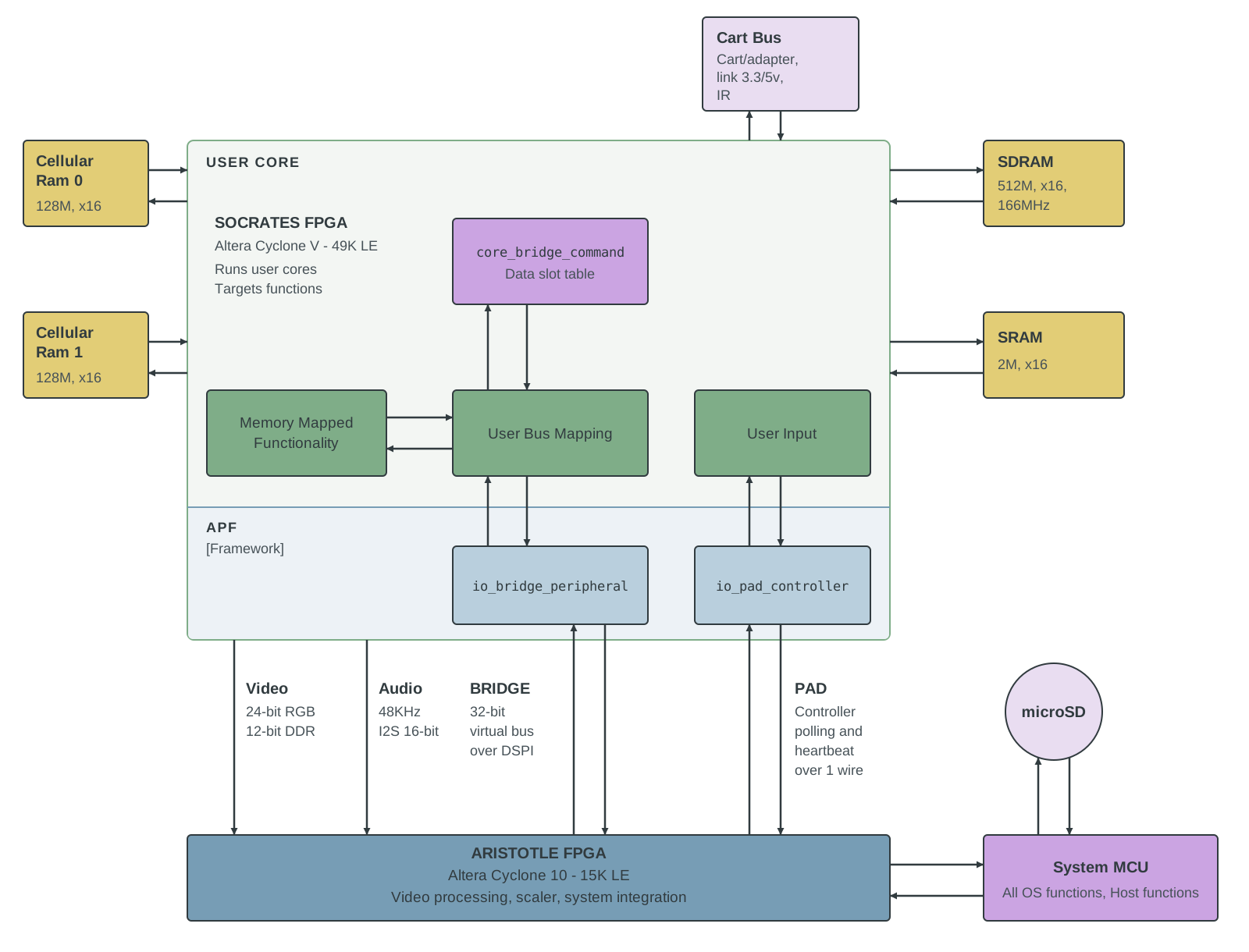 Internal architecture of the Analogue Pocket
Aristotle is a modest Cyclone 10 from Altera. It is immutable, drives the screen, and it provides scaling along with the filters that try to approximate the rendition of the original machines. It also implements the digital-to-analogue conversion of the audio that will drive the stereo speakers and serves as a bridge for integration with the very lightweight AnalogueOS.
Aristotle is out of reach for third-party developers, who must interact with it, and with the system, through the OpenFPGA platform.
Socrates is bigger. Since it is the chip configured with the core bitstreams that run the emulation, it has direct connections to the cartridge bus, to the link cable and IR sensors (used to connect several Game Boys together), and to the input buttons. These direct connections can eliminate input latency and allow precise timing of the IR and cable connections. This is mandatory in order to be able to connect and talk to a real console.
It also has access to pools of memory of different kinds, each dedicated to a precise function inside the emulator.
Memory
Internal Memory (inside the Cyclone V)
| Memory Type | Total Capacity | Access | Usual use cases / Characteristics |
|---|---|---|---|
| Block RAM (M10K) | 385 KiB (308 blocks × 10 Kbit) | Synchronous; data available one clock after the address | Large internal memories: CPU/PPU RAM (WRAM, VRAM, OAM), caches, frame/line buffers. |
| Distributed RAM (MLAB) | ≈ 38 KiB (485 blocks × 640 bit) | Small and fast; takes space from the logic | Small memories and FIFOs, register files, lookup tables. |
Block RAM is a collection of 10 Kbit blocks that are separate from the programmable logic elements and can be accessed very quickly by the cores.
Distributed RAM consists of 640-bit blocks that can be synthesized by using some of the logic elements, which will not be available anymore to implement the logic of the core.
Off-Chip Memory (separate chips on the board)
| Memory Type | Total Capacity | Voltage | Bus Width / Speed | Characteristics (from Analogue’s documentation) |
|---|---|---|---|---|
| Mobile SDRAM | 64 MiB (32M × 16 bit) | 1.8 V | 1 × 16-bit bus, up to 166 MHz | Best accessed in bursts, since every access needs activation. Byte-granular write masking. Mode registers must be programmed at initialization. |
| SRAM | 256 KiB (128K × 16 bit) | 3.3 V | 1 × 16-bit bus, 55 ns | Standard asynchronous SRAM: drive an address, strobe write enable or output enable. Latency marginally faster than PSRAM, but lower possible bandwidth. |
| PSRAM | 32 MiB (2 chips × 16 MiB, 8M × 16 bit each) | 1.8 V | 2 independent 16-bit buses, 70 ns asynchronous, synchronous bursts up to 133 MHz | Can be accessed asynchronously with very low latency. Each chip holds two dies, so both chip enables must never be asserted at once. |
- SDRAM is the most common type of RAM. Although its 16-bit bus is very narrow, it is sufficient for the needs of 8-bit and 16-bit machines. Its main advantages are the size and the sustained bandwidth. However, it needs constant refreshing, which induces relatively high energy usage and latencies.
- SRAM is very expensive. But it is very fast and access times are constant.
-
PSRAM, or pseudo-static RAM, is very interesting. This is a type of RAM that internally uses DRAM, but externally acts like an SRAM. Although Analogue never publicly discussed why it chose this part, we can speculate that it is used for the Sleep feature. Indeed, the Pocket can enter a sleep mode at any moment when running the official cores. A feature which Analogue’s CEO described like this:
“On a technical level, sleep mode turns the screen off and freezes data in RAM, effectively suspending your gameplay state.”
According to this description, the core pauses its operation and saves a big state to be restored when the user resumes their session. The perfect location to store this big blob of data is the PSRAM. Indeed, it can refresh itself autonomously to reliably keep data alive, using very weak currents of the order of µA, while the FPGAs and the other chips can be shut down.
Some people also argue that PSRAM is also ideal for simulating cartridge access at a lower power level than SDRAM, as it has better random access performance. But Analogue never said anything on the subject and its cores access the real cartridge bus.
Screen
Technology
As we have seen, the screen features 1600x1440 pixels. This is quite useful for perfect scaling of a 160x144-pixel Game Boy picture, but it is also a very unusual part. Analogue never disclosed which screen it uses, and it does not sell enough consoles to order a custom-designed one. Engadget speculated that this may be the same screen as the one in the Valve Index VR headset, which uses screens with the same very unusual resolution. The only difference is that Valve’s screens are in fact 1440x1600, so Analogue had to rotate it by 90°. This makes it impossible to send the picture one line after another and requires the use of a frame buffer, which in turn introduces one frame of latency.
This was never acknowledged by Analogue, but there are strong clues online that point in that direction.
▶️ The screen is indeed rotated and refreshed starting from the left side.
▶️ The Pocket does show one more frame of latency than other FPGA-based machines:
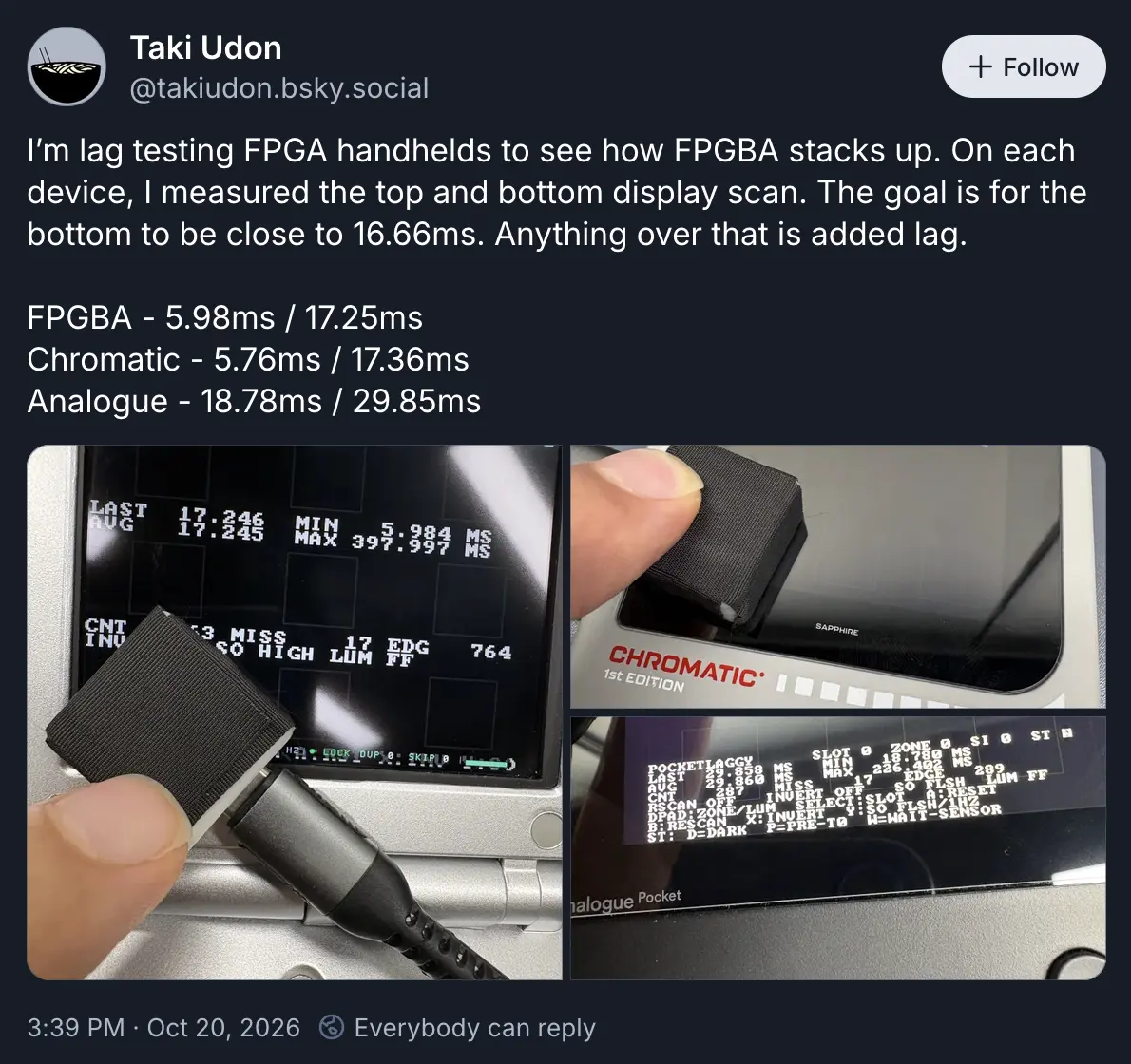
But a two-frame lag is in fact very faithful to that of a real Game Boy Advance 😊
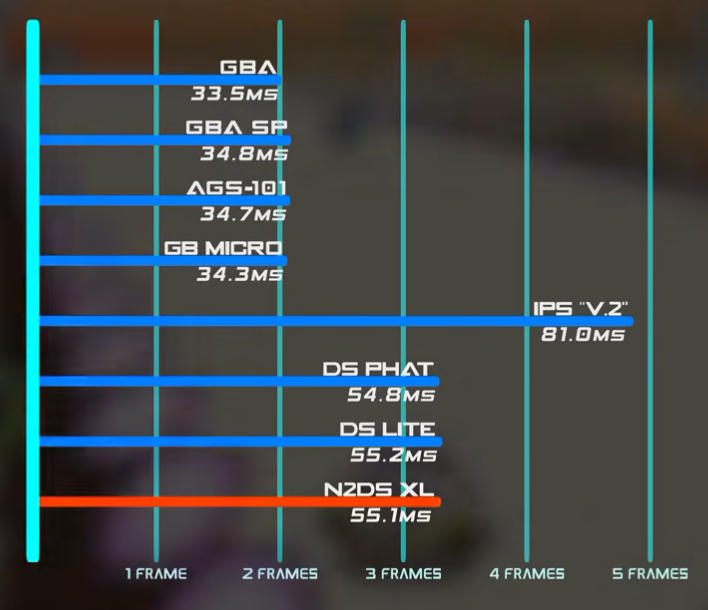 Latencies for all GBA and DS - source: Youtube
Filters
The very high DPI of the screen allows Analogue to apply filters using the second, smaller, FPGA and simulate the display of the original console at the sub-pixel level. Color filtering is also applied to match its color rendition as closely as possible.
Here are some of the results, for Game Boy and Game Boy Advance games. Keep in mind that the displays on old Nintendo handhelds were reflective and not backlit, so it is impossible to match them with a modern IPS screen.
Game Boy and Game Boy Color
All the monochrome renditions are very good and pleasing to me. The original DMG mode is difficult to compare: its screen blurs so much that the background disappears as soon as you start scrolling, so it is easy to understand why Analogue did not reproduce that. But the mood is there, I find the rendition fantastic!
The screen renditions of the Game Boy Pocket is also pleasing, and the Analogue reproduction is close enough for me.
Concerning the Game Boy Color, the default palettes are not very convincing. Fortunately, it is possible to load custom palettes, and the community has obviously designed sets that are more faithful to the original.
You can open the full picture by clicking the corresponding thumbnail.
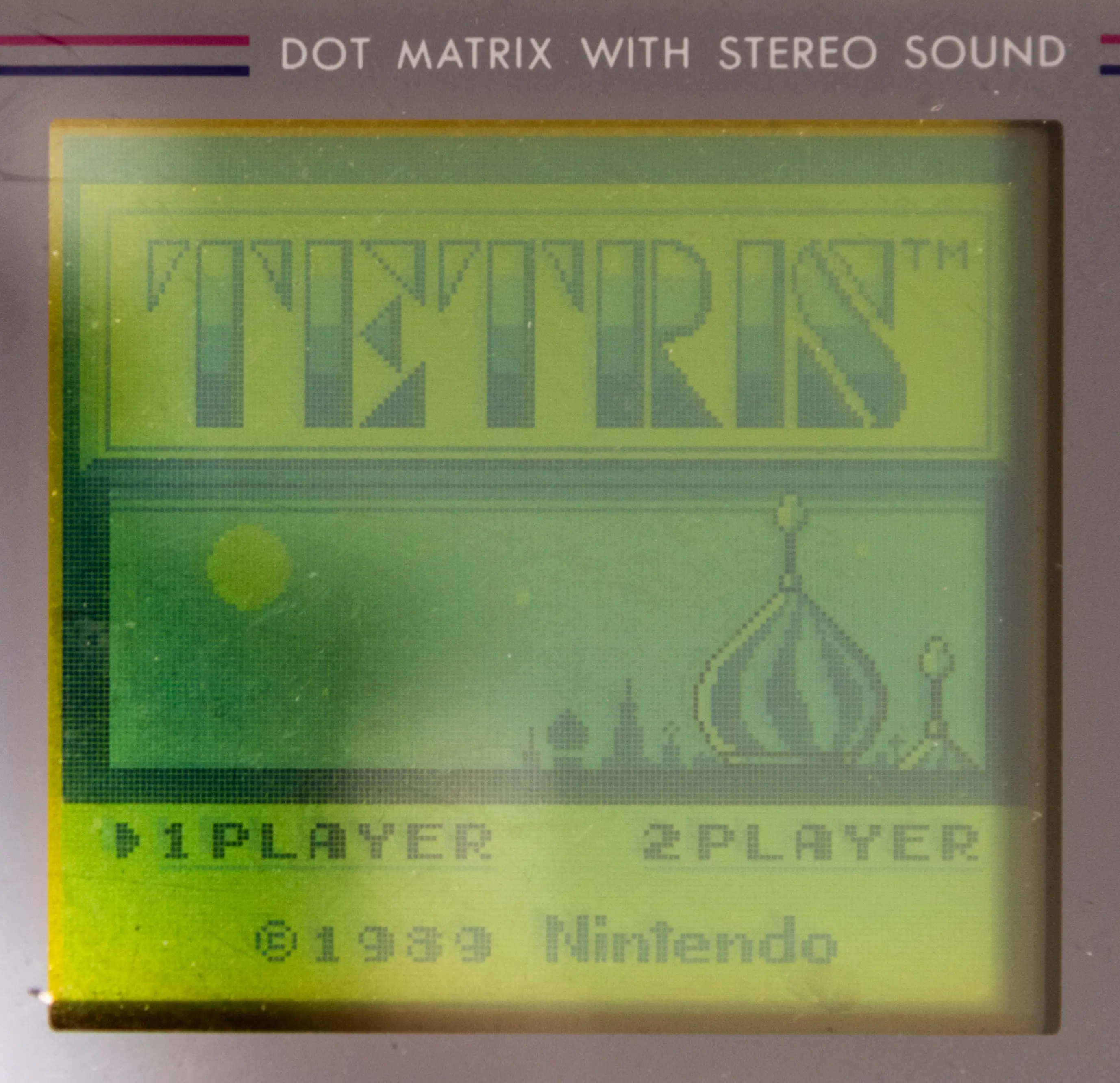 Original “DMG” Game Boy |
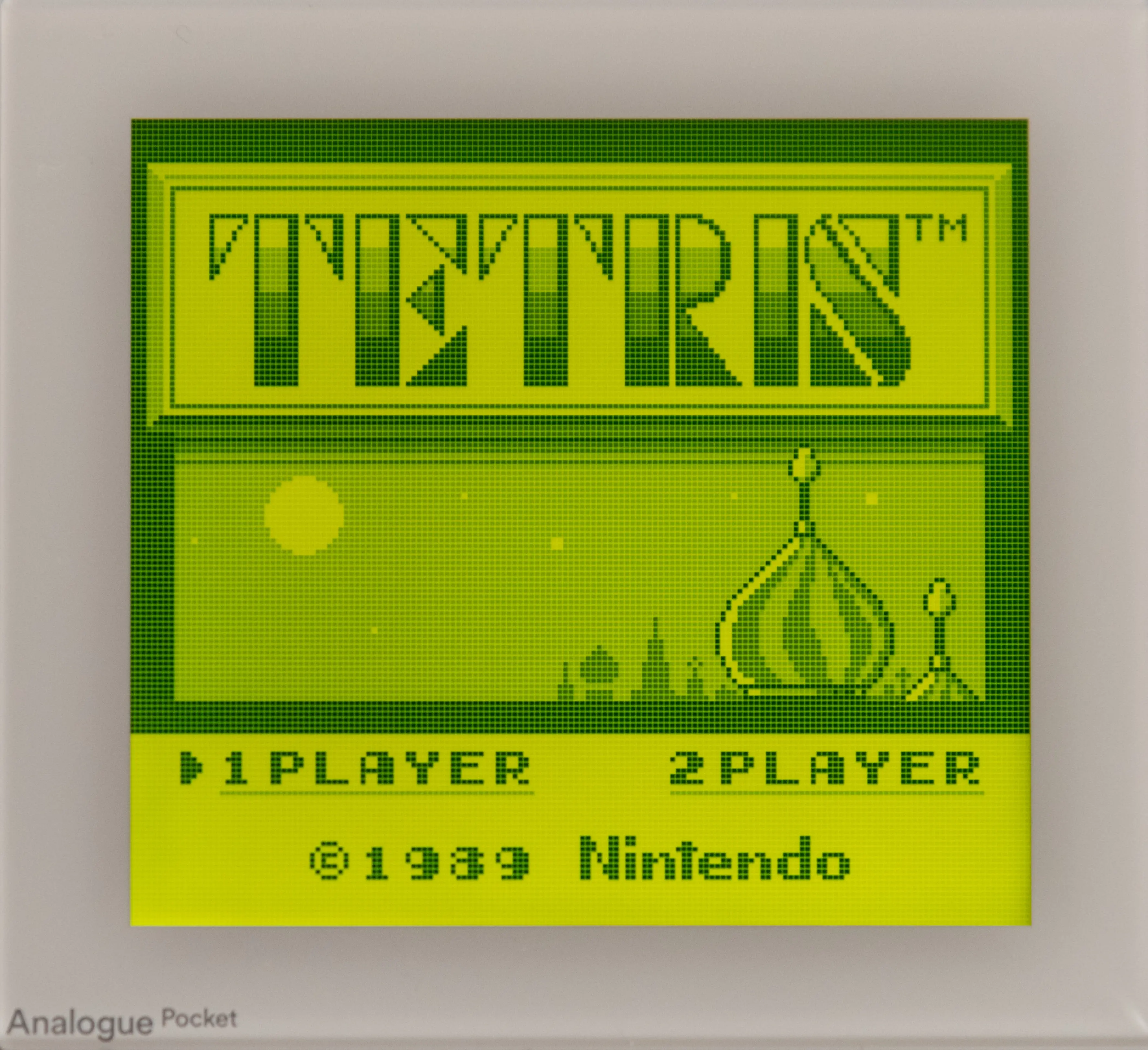 “DMG” filter |
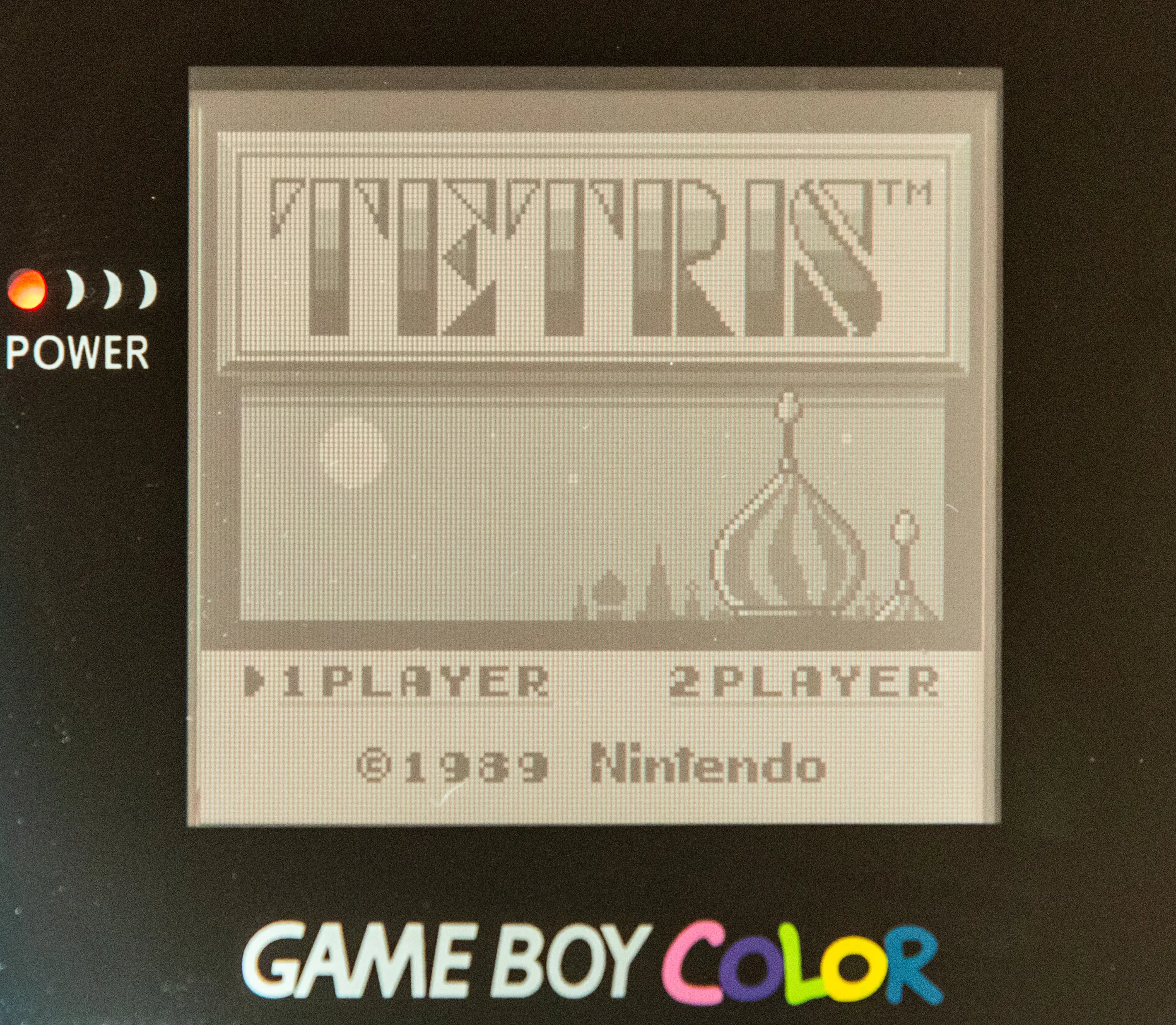 GBC with the “grey” color set |
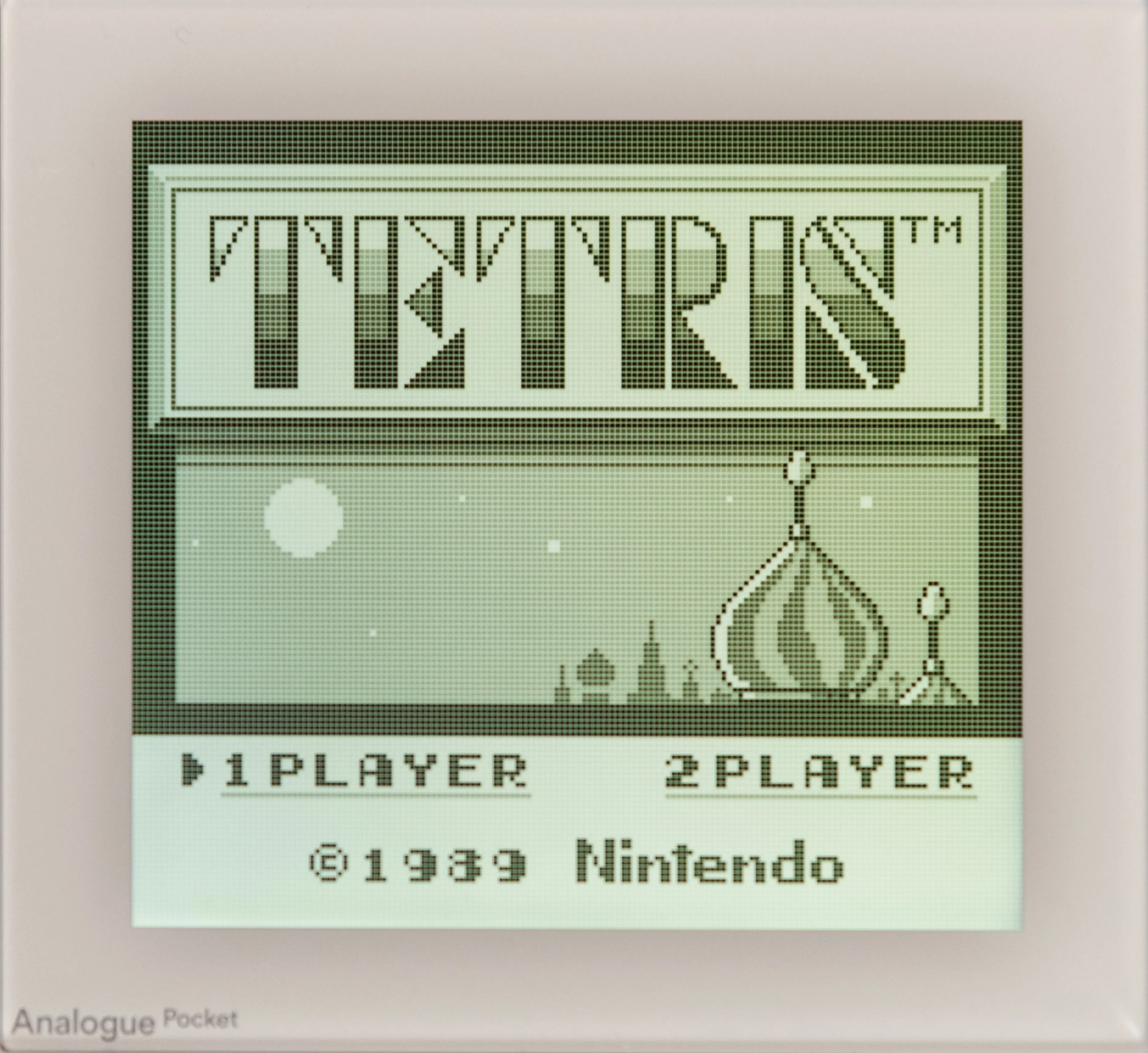 “Game Boy Pocket” filter |
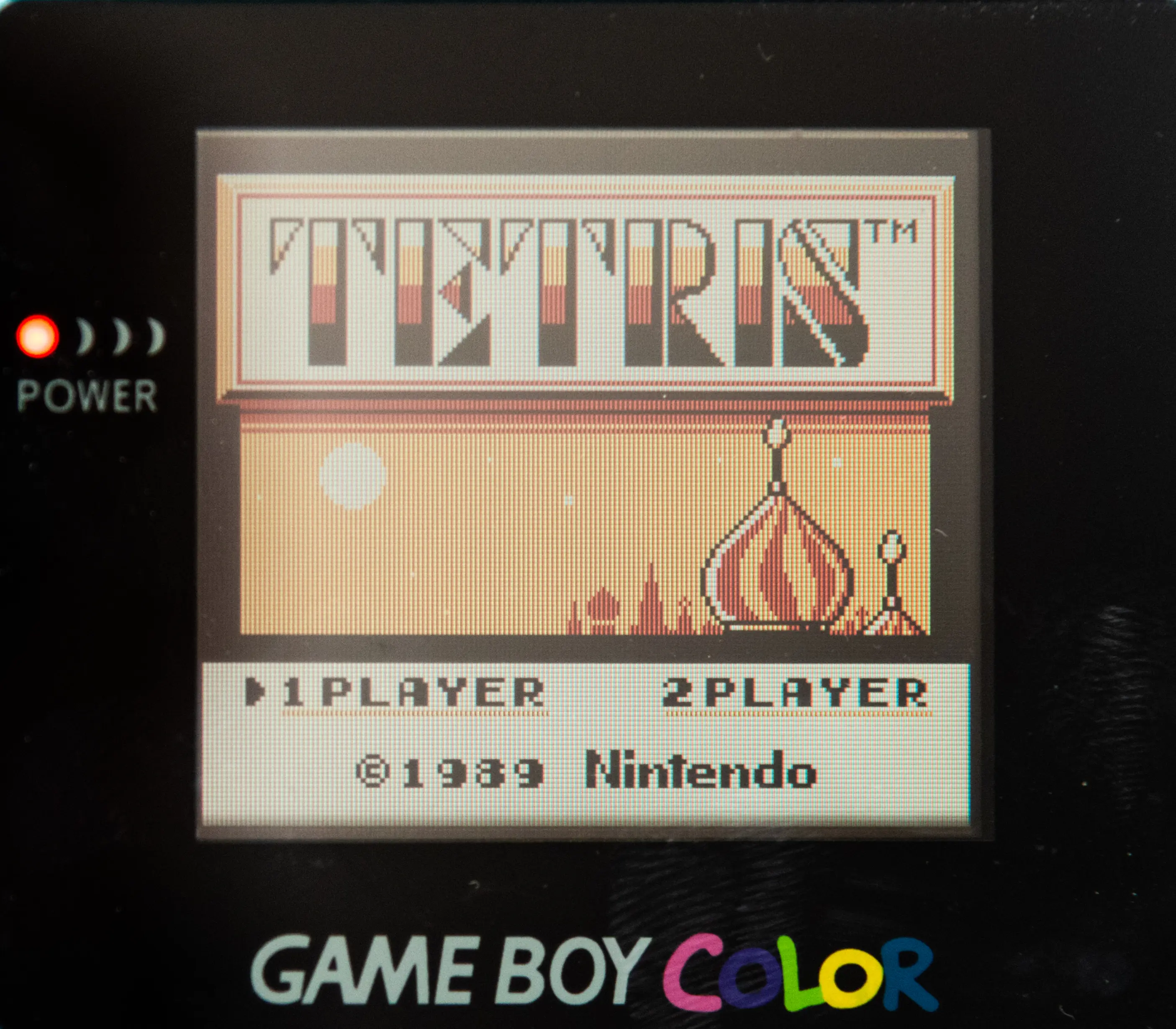 Game Boy Color with the default palette |
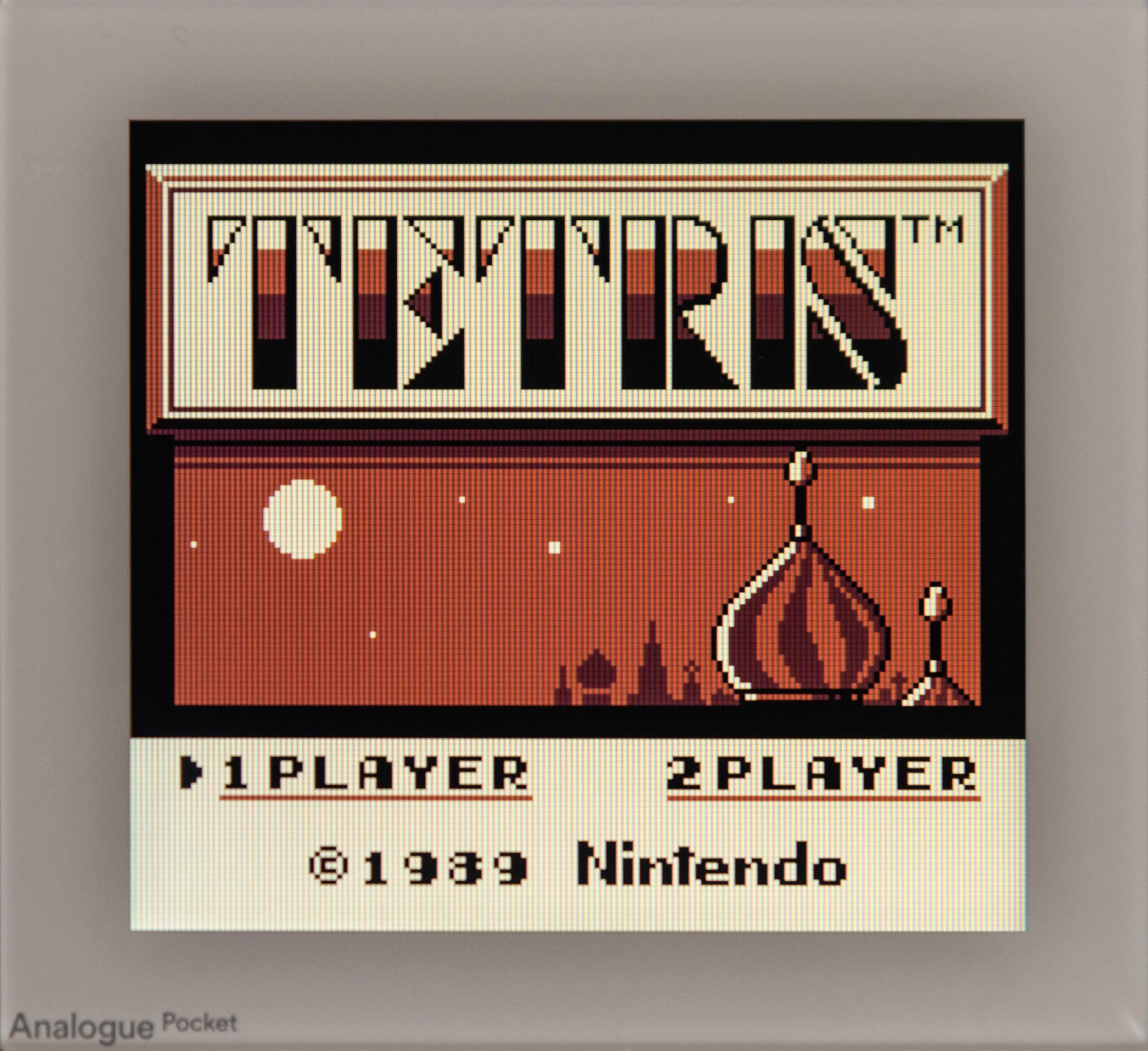 Official Analogue Palette |
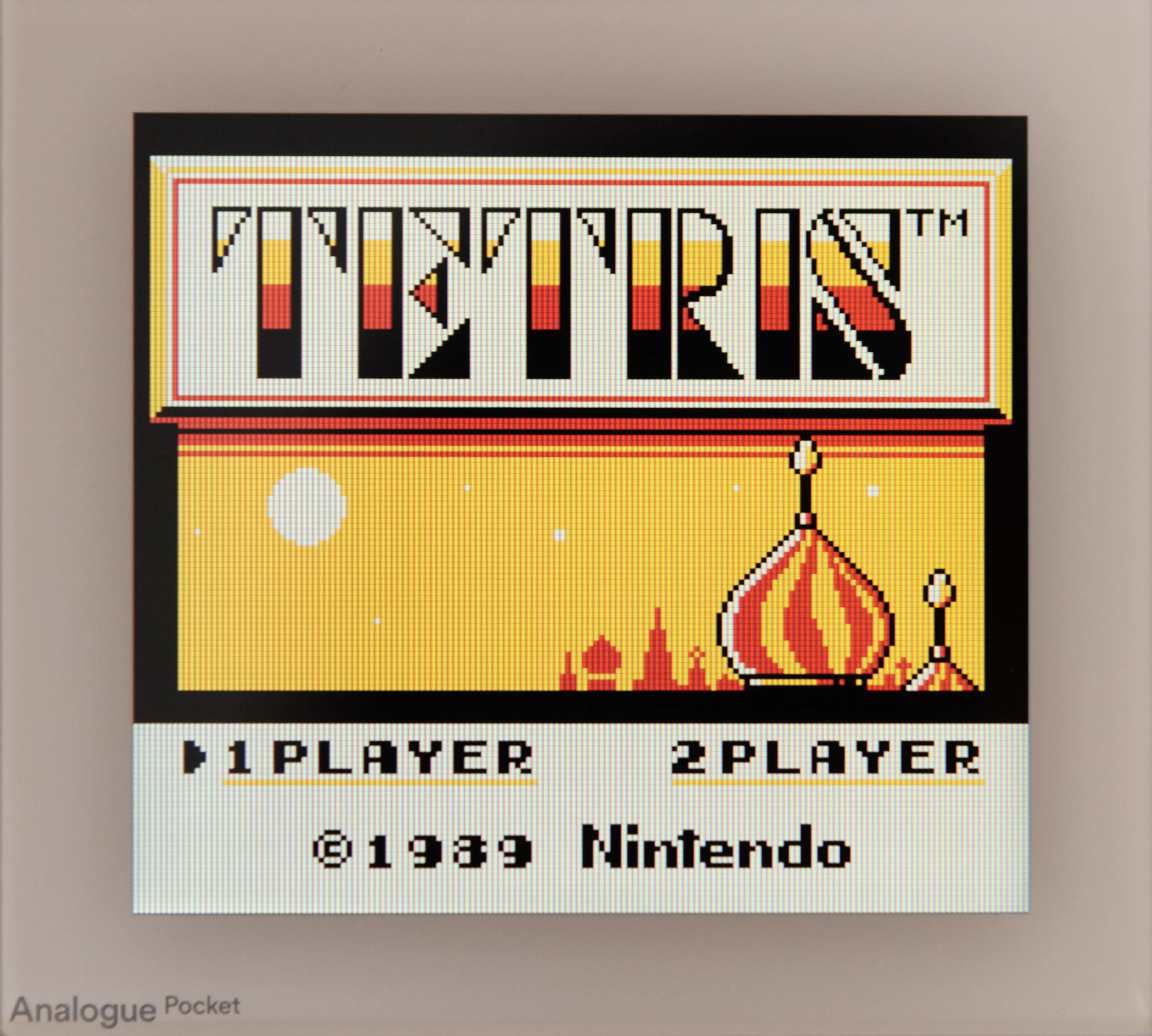 Palette from the Community |
Game Boy Advance
When the original Game Boy Advance was released, it came with what we can call today “an awful screen”. When displaying a GBA game’s many colors, the screen was very dark and had low contrast. Thus, the developers used very saturated and luminous colors to make them pleasing on the dark screen. The first model of the GBA SP added a front light, which helped a bit, but retained the general “mood” of the games. Things changed with the second model of the GBA SP, which introduced, at last, a modern backlit LCD screen. Although it gave much more clarity to the games, there was a huge shift in color rendition. The later Game Boy Micro also had a modern backlit screen, but the color rendition was closer to the original Game Boy Advance.
Fast forward to today. People can experience games on the original model or the SP, with the intended colors on a very bad screen. Or they can mod their console with a modern IPS screen, whose colors are so vibrant that games need patches to look the way they were meant to. What kind of rendition is the best?
Analogue decided not to choose, and provides two filters. “Original” tries to emulate the tone of the original GBA, with all the advantages of a modern screen. “SP-101” emulates the second model of the GBA SP with its backlit screen. And if you do not use any filter, you will get the same kind of image as with an IPS-modded GBA.
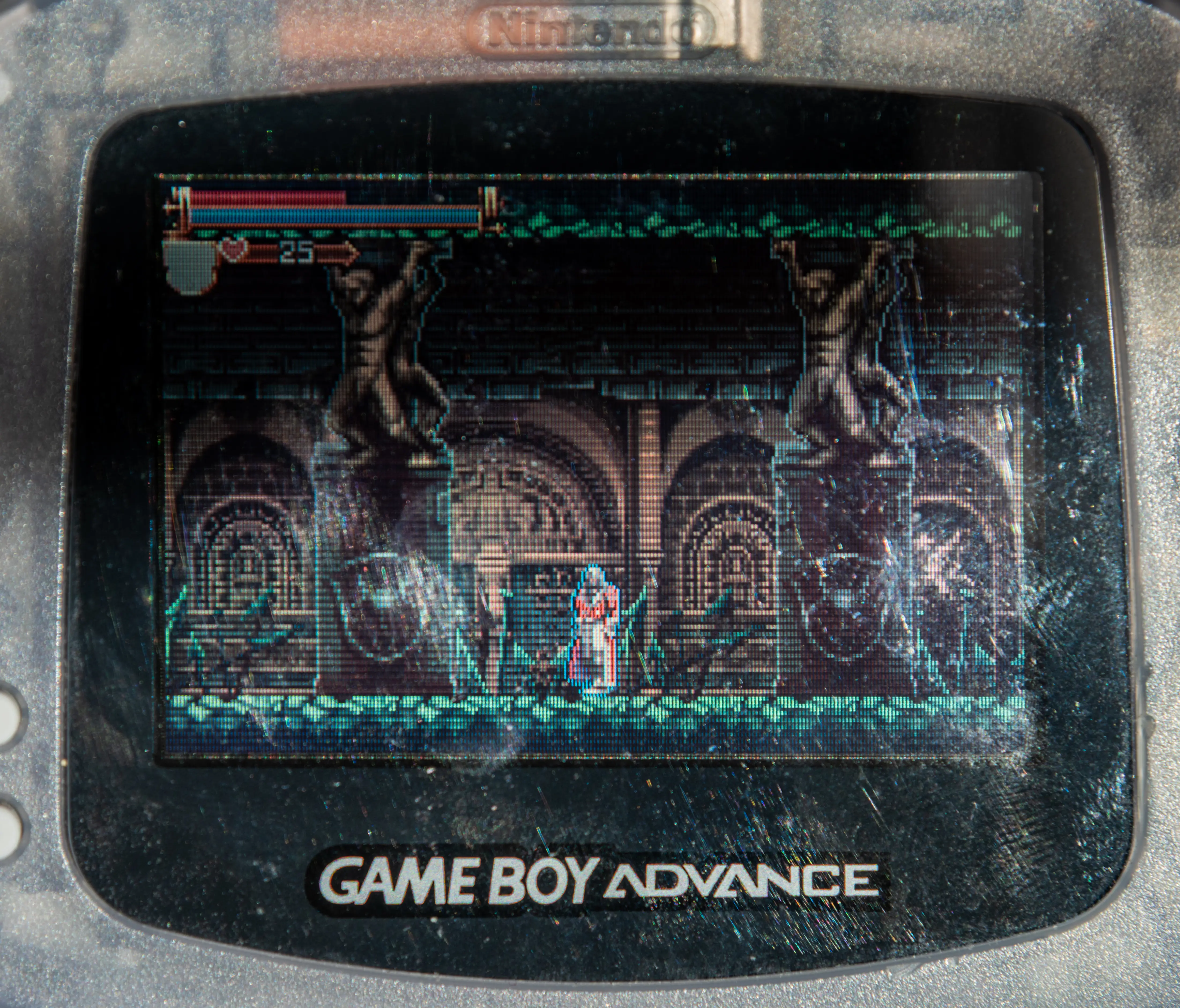 Original GBA |
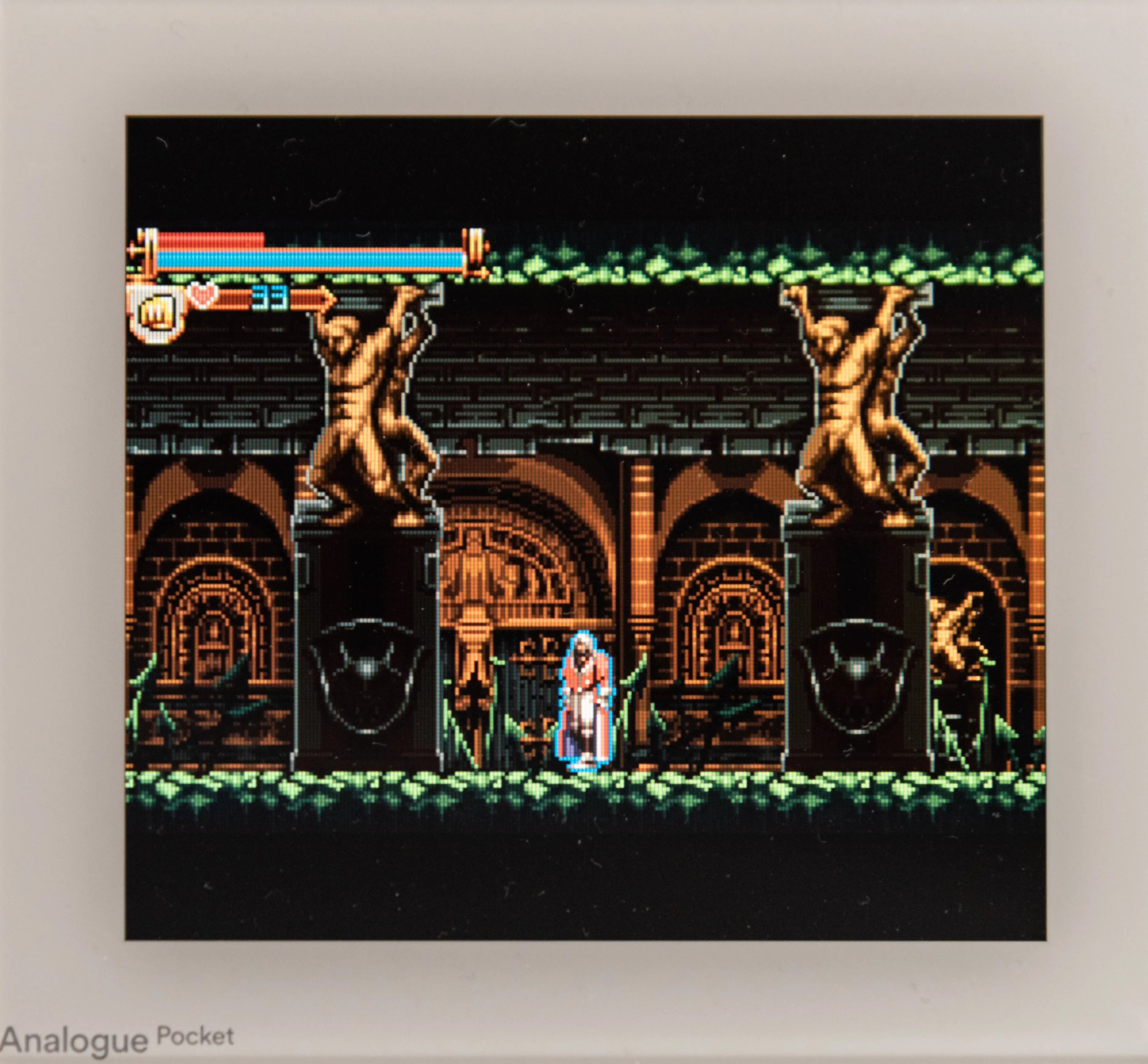 “Original GBA” filter |
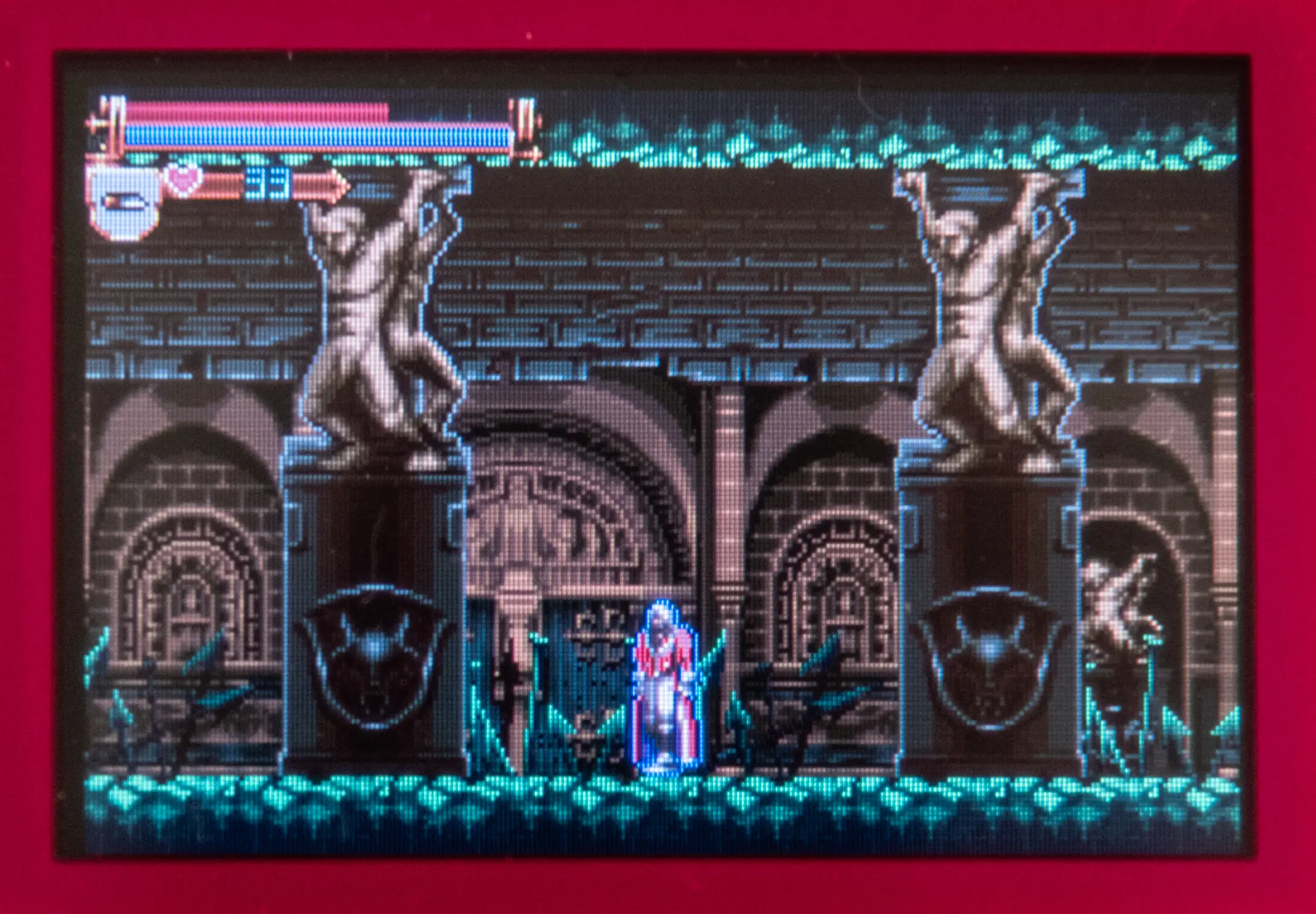 Game Boy Micro |
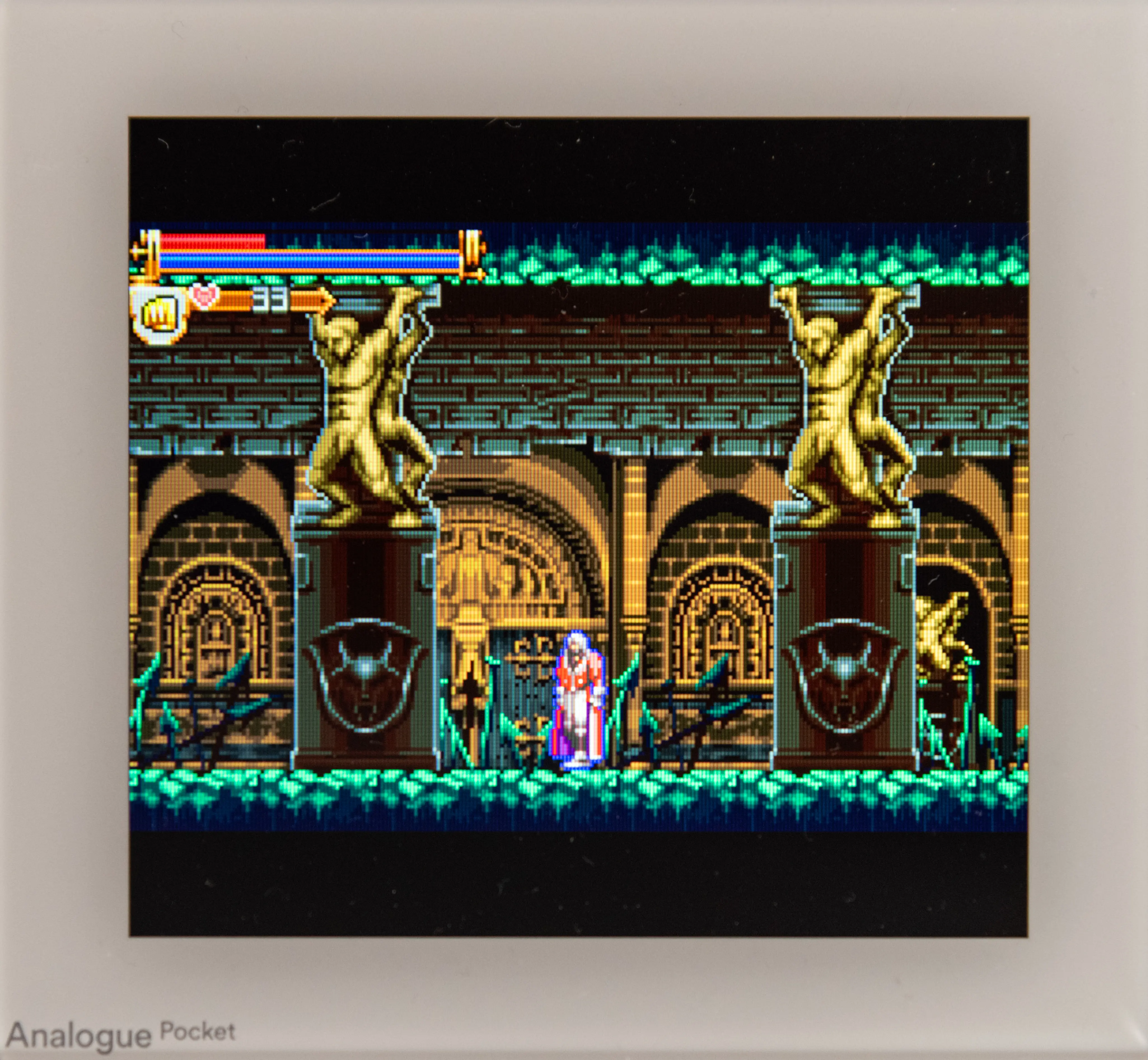 SP-101 Filter |
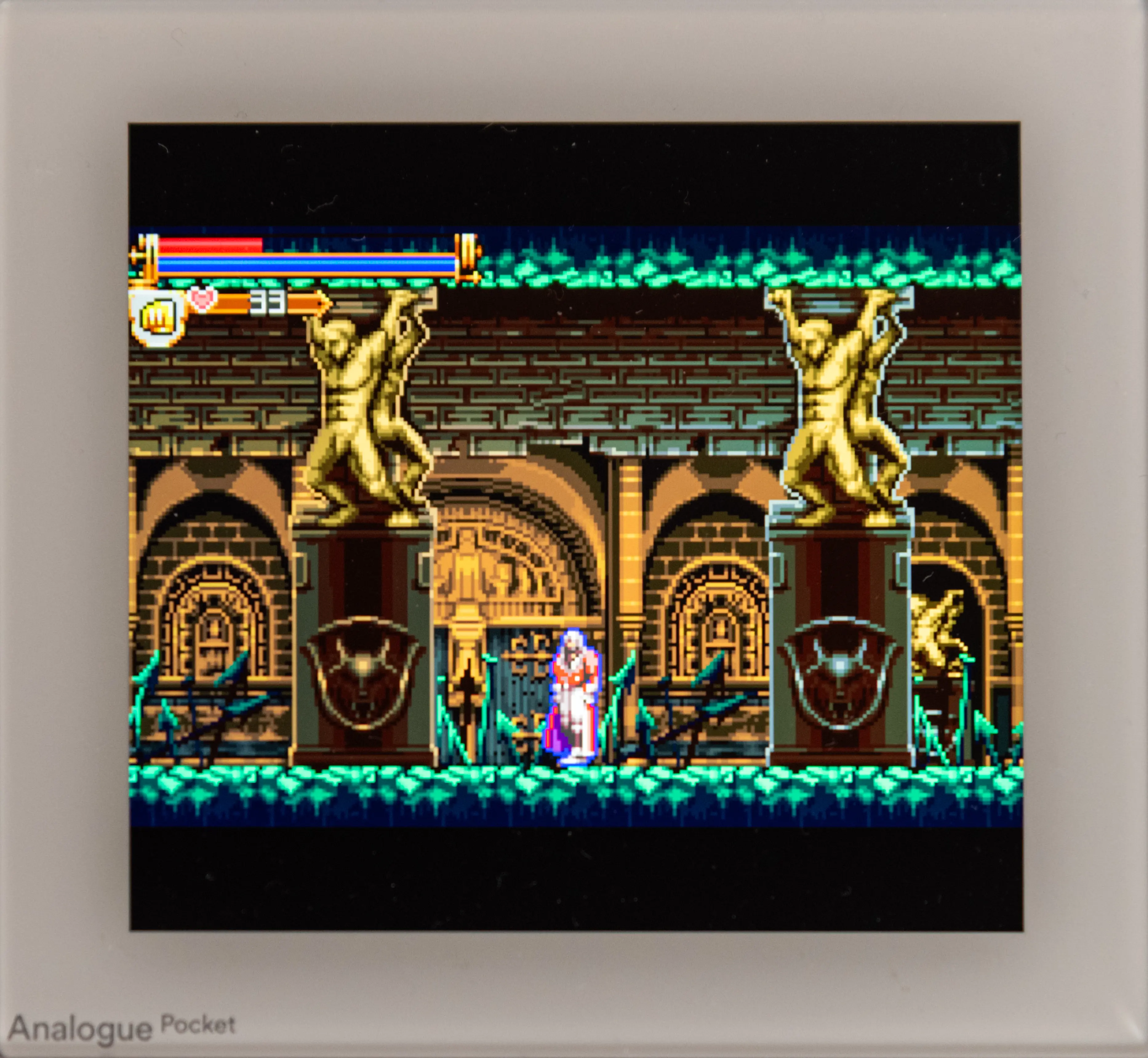 No filter |
For me there is no contest: the original filter is the one. To my naked eyes, I find that it is the closest to mood the real original GBA. And I will not be able to play again on a modded GBA or on an emulator that does not provides some kind of filtering. Anyway, it’s nice that Analogue lets us the choice.
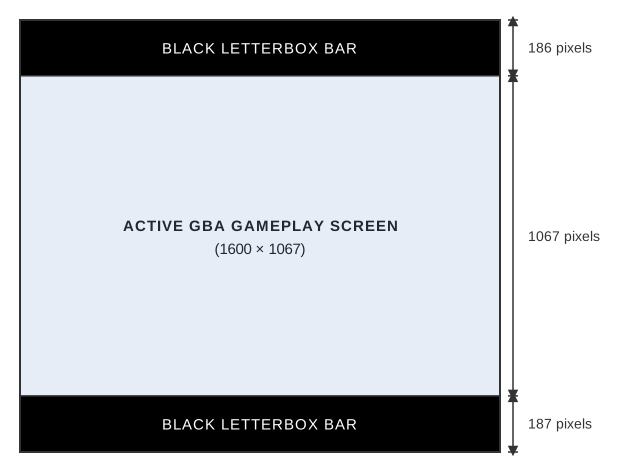
As with the regular Game Boy, the immense pixel density allows simulating the original pixels at a sub-pixel level. However, the scaling is not an integer this time: it is 6.67x to fill the screen horizontally, with black bars at the top and bottom, because the GBA screen is wider than the Game Boy’s.
Refresh rate
One of the advantages of FPGA emulation over software emulation is that it is possible to drive the screen to exactly match the refresh rate of the emulated console. Classical panels are refreshed at 60 Hz whereas the refresh rate of the Game Boy is around 59.73 Hz. To compensate for the difference, an emulator can run the emulated game around 0.45% faster, or duplicate one frame every 3.67 seconds.
Analogue documentation states the Pocket’s screen can be driven from 47 Hz to 62 Hz, thus chances are very high that it is tightly controlled by the small FPGA, at the exact required rate.
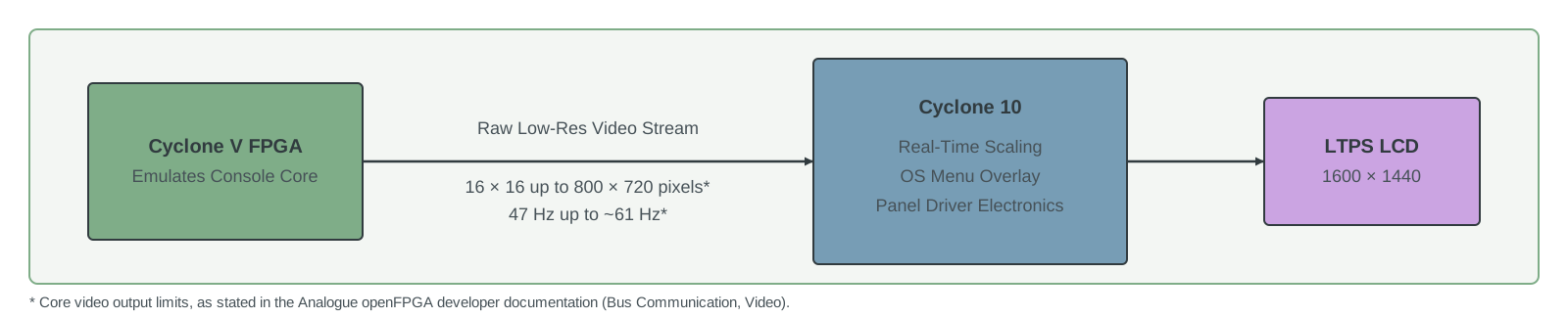 The video pipeline of the Analogue Pocket
Sound
I am not a sound expert, and my ears begin to falter, but the result appears very convincing to me.
When playing Game Boy Advance, there is an “High Quality” setting to be less accurate and improve the sound. Indeed, the sound may be the only weakness of this console, as it lacks the dedicated sound chip that the SNES had. Sony supplied the SNES sound chip, but by the time the Game Boy Advance came out, Sony had become a fierce competitor with its PlayStation. That may explain the mediocre sound output of the GBA.
Save states and Sleep
With its ability to read original cartridges, its filters that mimic the look of the original screens, and a feel that recalls the Game Boy, the Analogue Pocket could pass for a modern member of that venerable family. And it offers something that true consoles never could: save states and sleep.
Save states are commonplace in the world of software emulators: you take a snapshot of the console’s state at any given moment, store it, and can restore it whenever you want. Your game will be exactly as it was when the state was saved. It’s very helpful when playing difficult old games, with sparse save points… when they have save points.
But it is a lot easier to implement them in software than in an FPGA. Indeed, in software, the whole “virtual console” is loaded in memory at any given time. Saving a snapshot means pausing the whole machine, then copying the relevant variables into a structure and saving it to disk.
But an FPGA, as we’ve seen, is very different from software simulation of a machine. You do not have its state in memory, ready to be copied. You cannot easily pause the whole console at a single instant and simply dump everything that is needed. You have to describe every piece of hardware required to capture and dump the snapshot. It may require duplicating registers and memory, spying on buses… This is not trivial and consumes scarce FPGA resources.
The Pocket offers save states for all its official cores. Moreover, it allows the one thing that I always missed when I played handhelds at the time: Sleep. At the press of a button, the Pocket will enter Sleep and will consume very little power. In order to do so, it simply performs a save state that is stored in the PSRAM. Everything else is shut down. The state is then restored when you wake the console up. Clever. And very useful: I like to be able to interrupt my portable gaming session with a single press of a button.
Gaming experience
But the most important thing on a handled console is the gaming experience. I really love gaming on the Pocket. Even though I own a Game Boy Micro and a Game Boy Color (and I love them), with the Pocket I rediscovered some games that I never dared to play on the original hardware. I think the handling is quite good and I like the portrait orientation: I find it more “retro” and original than most modern handhelds.
The buttons are good. Many people complain about the position of the shoulder buttons. At first I found them a little uncomfortable, but after a short while I got used to them, and I played fairly long sessions of Castlevania, a game that uses them constantly, without any problem.
As I said, the screen is gorgeous and is big enough to admire the details in the backgrounds and sprites. The graphics of some GBA games are really beautiful!
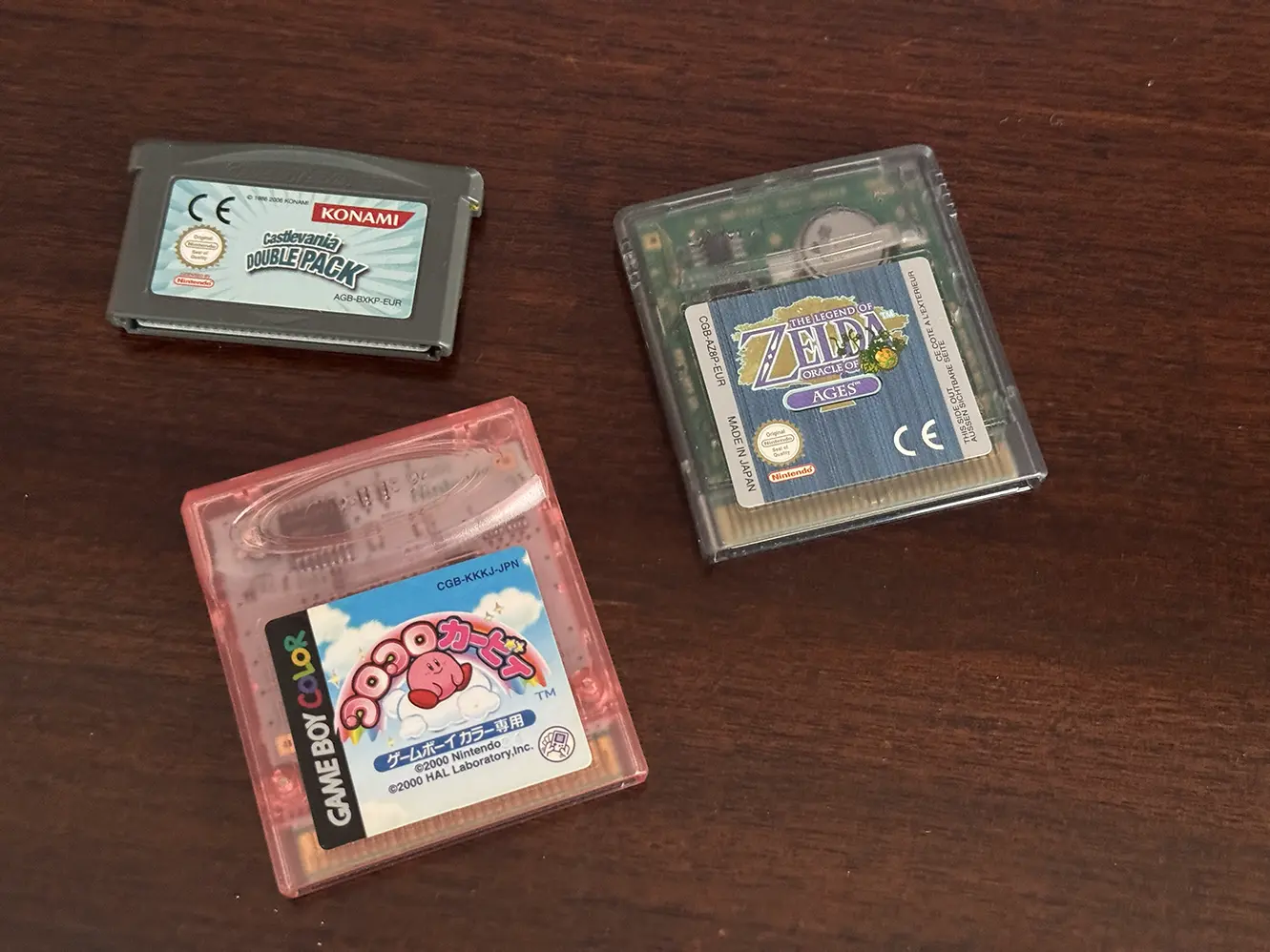 Games that I (re)experienced on the Pocket. The Kirby game is difficult to emulate as there is a gyroscope embedded in the cartridge
Every cartridge that I tried worked without any trouble. But if you use a flash cart, beware, as some say that the latest revisions of the Pocket, starting in March 2026, don’t behave well with Everdrives. The cause seems to be that Analogue, for whatever reason, modified the component used for the cartridge port. As a result, the Pocket no longer works with Everdrives, which draw more current from this port than regular cartridges, while regular cartridges still work perfectly. This has nothing to do with the quality of the emulation. It is, however, a good reminder that both the Pocket and the Everdrives are recreations, and that they do not behave exactly like the originals, especially at the electrical level. For instance, every flash cart prevents the Pocket from going to Sleep, because they need to be permanently powered, whereas regular cartridges allow it.
But if you want to play your “backup”, do not despair because there is another way: OpenFPGA.
OpenFPGA
OpenFPGA is Analogue’s way of letting the community load other cores without handing over full control of the platform. They run on the big FPGA, while the small one offers various services, like the screen filters, a way to save and load states if the emulator supports it, and so on.
Those cores do not have access to the cartridge port, so they load games from the microSD slot.
Most of those cores are ports from MiSTer FPGA. The FPGA on the MiSTer board is bigger than what’s available on the Pocket, so the most advanced consoles are not available. But anything up to the most advanced 16-bit systems seems to be reasonably well emulated with these cores. I tried the Mega Drive core, and it worked very well. For me it’s also an opportunity to discover interesting machines that I never experienced extensively before, such as the MSX or the Lynx.
But just because a core runs on the Pocket does not mean that it supports every feature. Among the most important: screen filters, save states and sleep. They have to be adapted for these features, and, as said before, supporting save states and sleep is non-trivial, especially for the biggest cores.
Here is a table showing some cores that support at least one of those features. Take it with a grain of salt, as I asked a LLM to compile it. I also tried to identify with of those cores predates the “vibe-coding era”. Indeed, for the last few month, a multitude of vibe-coded ports appeared and it is difficult to say if they were properly tested or just quickly thrown away.
Some of those cores are from “Spiritualized1997”, who is said to be Kevin Horton, the engineer behind the official cores. I do not know if this is true, but there are a multitude of clues. Anyway, I tried the GBA from Spiritualized1997, and with the GBA filter activated, I could not see any difference from the official.
| Platform / core | Sleep | Save states | Filters |
|---|---|---|---|
| Handheld | |||
| Game Boybudude2.GB ★ | ✓ | ✓ | – |
| Game Boyfugudaro.BrickBoy | ✓ | – | – |
| Game BoySpiritualized.GB ★ | ✓ | ✓ | – |
| Game Boy Colorbudude2.GBC ★ | ✓ | ✓ | – |
| Game Boy ColorSpiritualized.GBC ★ | ✓ | ✓ | – |
| Game Boy AdvanceK3V.GBA | ✓ | ✓ | ✓ |
| Game Boy Advancemincer_ray.GBA | ✓ | ✓ | ✓ |
| Game Boy AdvanceSpiritualized.GBA ★ | ✓ | ✓ | – |
| Game Geardrizzt.GG | ✓ | ✓ | – |
| Game GearSpiritualized.GG ★ | ✓ | ✓ | – |
| Atari Lynxbudude2.Lynx ★ | – | ✓ | – |
| Neo Geo Pocket Colorjanisc.NGPC | ✓ | ✓ | – |
| WonderSwan Coloragg23.WonderSwan ★ | ✓ | ✓ | – |
| Virtual Boymaxhoov.VirtualBoy | ✓ | ✓ | – |
| Tamagotchi P1agg23.Tamagotchi_P1 ★ | ✓ | ✓ | – |
| 8-bit consoles | |||
| NES / Famicomagg23.NES ★ | ✓ | ✓ | – |
| Master Systemdrizzt.SMS | ✓ | ✓ | – |
| Master SystemSpiritualized.SMS ★ | ✓ | ✓ | – |
| SG-1000drizzt.SG-1000 | ✓ | ✓ | – |
| SG-1000Spiritualized.SG-1000 ★ | ✓ | ✓ | – |
| 16-bit consoles | |||
| Genesis / Mega Drivedrizzt.MegaDrive | – | ✓ | – |
| 32/64-bit & later | |||
| PlayStationakoaysigod.PSX | ✓ | – | – |
| Nintendo 64tortuga.Mirlo64 | ✓ | ✓ | – |
| Pocket Dream Consolefbmrqs.PocketDreamConsole | – | – | ✓ |
| Home computers | |||
| Amstrad CPCstilvoid.PocketCPC | ✓ | ✓ | – |
| BBC Microplasticbugs.bbcmicro | – | – | ✓ |
| Minicube64mee55237.Minicube64 | ✓ | – | – |
| Picocomputer 6502Rumbledethumps.RP6502 ★ | ✓ | – | – |
| Arcade | |||
| Pac-ManTheDiscordian.PacMan | – | ✓ | – |
| PDP-1: Spacewar!Spacemen3.PDP1 ★ | ✓ | – | – |
| Other & homebrew | |||
| PICO-8zenibako.pico8 | ✓ | – | – |
| Butterscotchzenibako.Butterscotch | ✓ | – | – |
| NibblerEssemyth.Nibbler | ✓ | ✓ | – |
| Ambient Pocketinterface2037.AmbientPocket | ✓ | ✓ | – |
| PocketIRinterface2037.PocketIR | ✓ | – | – |
| Pocket Playermhlin.PocketPlayer | – | – | ✓ |
How support was checked
-
Sleep – read from each core's
core.json("sleep_supported": true) in its release package. This is the core's own declaration, so it is the most reliable column. -
Save states – the core's GitHub
README.mdstates that save states (“Memories” on the Pocket) are supported. No JSON flag exists for this. I read the matching lines and excluded READMEs that say save states are unsupported, planned or not implemented. - ★ Trusted core – a core I consider reliable, meeting both conditions: (1) the first commit of its repository is on or before December 2024, before agentic AI coding tools became common, so any later AI use builds on an existing project; (2) its author has an earned reputation, judged from their GitHub profile: years of activity, followers, stars across their repositories and a body of FPGA/openFPGA work (Spiritualized, agg23, budude2, Spacemen3, Picocomputer). This is a subjective guide, not a quality or accuracy guarantee; cores without a star are not necessarily bad, just newer or less established.
- Filters – the README mentions video/display filters. Audio filters were ignored.
Source: the openFPGA Cores Inventory (370 cores with a download, scanned November 2026). A README mention is not a guarantee that the feature works, and a README that doesn't mention a feature may still ship it; “–” means not documented, not unsupported. Only cores documenting at least one feature are listed.
Conclusion
If you have read everything, you will have understood that I really like my Analogue Pocket. This is a good example of a product that have been perfectly engineered to fulfil its purpose: a modern recreation of the Game Boy line. Both faithful and modern at the same time.
Compared to modern handled gaming devices, its size is modest. It is somewhat between a Game Boy Color and an original Game Boy. It won’t fit in a pocket, but I have no trouble carrying in a bag and using it during commute.
The price is high, especially here in Europe, but the device feels premium and is a joy to use. I only have one regret: I did not buy the dock 😅
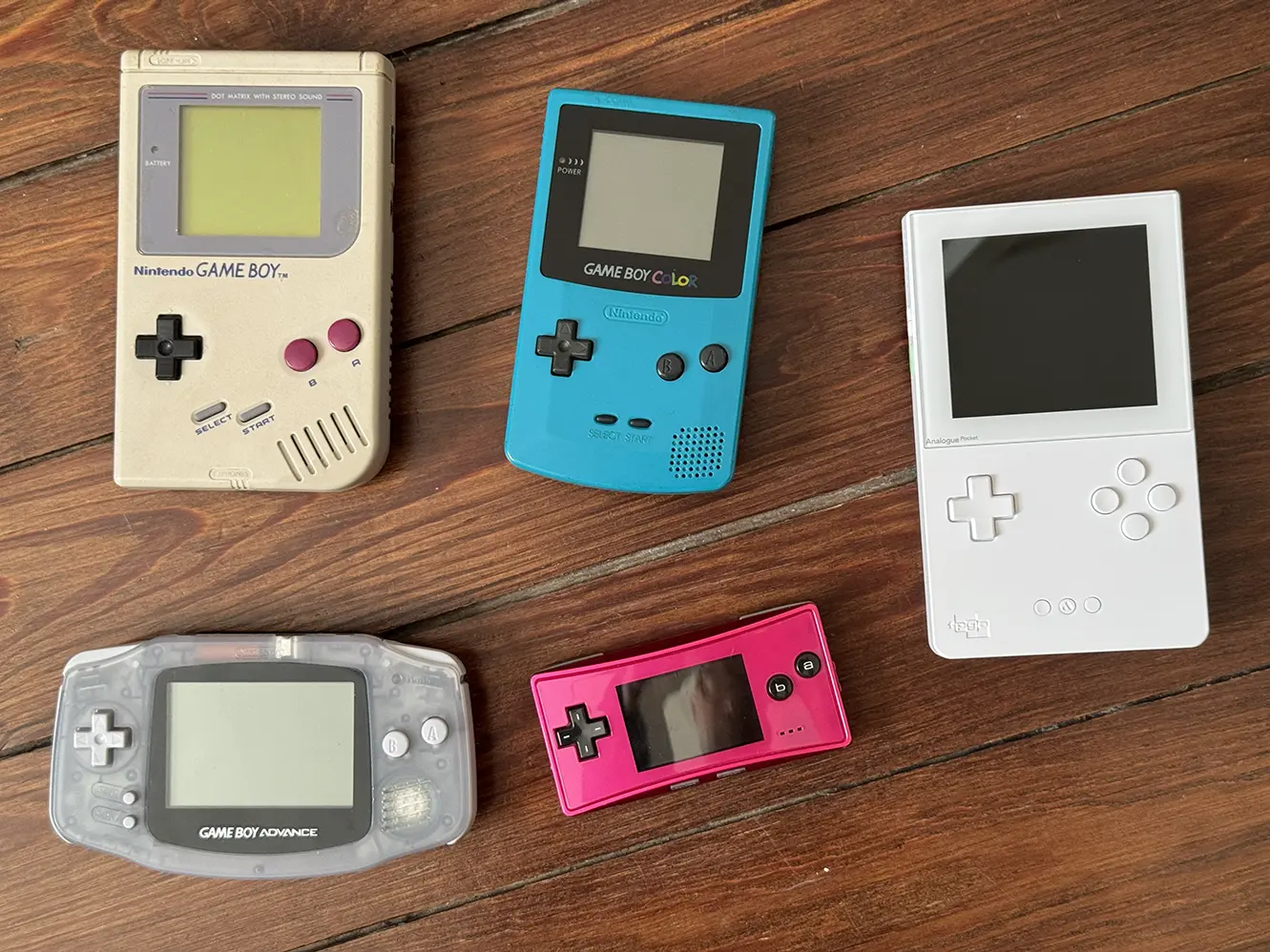 One new “member” of my GameBoy familly 😌